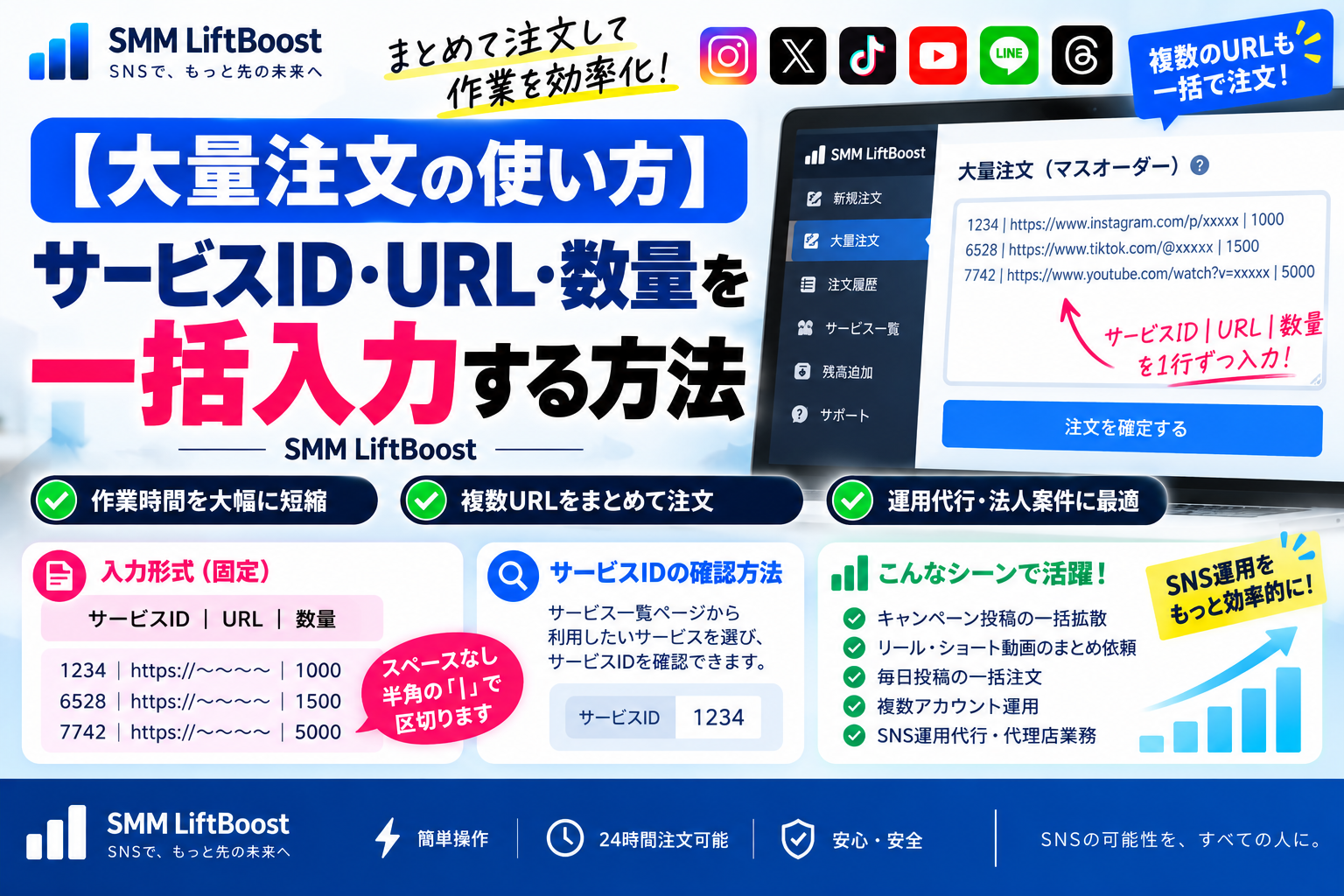
How to Use Bulk Order — Enter Service ID, URL, and Quantity in One Go
SMM LiftBoost
“Want to place multiple orders at once?”
“Need to process bulk tasks for client accounts?”
This guide explains how to use the Bulk Order(Mass Order)feature in SMM LiftBoost — in a simple, beginner-friendly way ✨
📘 In this guide, you’ll learn
• The correct Bulk Order input format
• How to check the Service ID
• Practical use-cases where bulk ordering is effective
🔗 Recommended guides (read first)
These articles will help you use the platform more smoothly:
👉 Beginner’s Guide — How to Use SMM LiftBoost
👉 Complete Guide — How to Grow Your SNS Followers
🧩 What is the Bulk Order (Mass Order) feature?
The Bulk Order feature allows you to
submit multiple URLs & multiple posts
in a single operation ⚡
✔ No need to place orders one by one
✔ Perfect for agencies & account managers
✔ Ideal for campaigns & multi-post promotion
📝 Input format: ServiceID|URL|Quantity
When using Bulk Order, enter
ServiceID|URL|Quantity
➜ one line per order
🎯 Do not add spaces
🎯 Use the half-width “|” symbol
🧾 Fixed input format
ServiceID|URL|Quantity
ServiceID|URL|Quantity
ServiceID|URL|Quantity
✅ Example
1234|https://〜〜〜〜|1000
6528|https://〜〜〜〜|1500
7742|https://〜〜〜〜|5000
⚠️ Enter the Service ID(not the service name)
🔎 How to check the Service ID
Please select your service from the Services List page before placing a bulk order.
👉 Services List — Followers, Views & Engagement Services
On each service page you can see:
• Service name
• Description & features
• Price
• Service ID(required for Bulk Order)
• Average completion time ⏱
🚀 When Bulk Order is especially useful
• Campaign post promotion 📢
• Reels / Short-form video batch orders 🎬
• Bulk scheduling for daily posts 📅
• Managing multiple accounts 👥
• Agency & social media management workflows 💼
Most efficient pattern is:
Same Service ID × Multiple URLs
🌍 About SMM LiftBoost
SMM LiftBoost is one of the largest
SNS growth & promotion platforms in Japan 🇯🇵
Used by:
• Individual creators
• Corporate accounts
• Marketing agencies & social media managers
👉 Visit the official SMM LiftBoost website
✨ Summary
The Bulk Order feature helps you:
✔ Process multiple requests under one Service ID
✔ Register URLs & quantities in bulk
✔ Save time & streamline operations ⏳
Perfect for:
• Multi-post promotion
• Campaign management
• Agency & reseller projects
Make your SNS workflow faster, smarter, and more efficient 🚀